What Are the Top Wireless Barcode Scanner Types in 2026?
In 2026, wireless barcode scanners come in several practical forms, each suited to a different working environment. A Wireless Barcode Scanner may be a handheld Bluetooth model, a wearable ring scanner, a presentation-style unit, or a rugged long-range device. The best choice depends less on a feature list and more on where people scan, how often they move, and which devices must receive the data.
A handheld scanner is familiar on shop floors and in stockrooms. A ring scanner can free both hands for picking and packing. Presentation scanners are useful at counters, where items pass across a fixed scanning area. Long-range and rugged models can help in large warehouses or demanding settings, but their extra reach or durability may not be necessary for every team. Small details matter. Check connection stability, battery life across a full shift, comfort, supported barcode types, and how easily the scanner pairs with existing computers or mobile devices.
This guide explores the leading wireless scanner types for 2026 and explains their trade-offs in clear, work-focused terms. It also considers scanning distance, mobility, and maintenance, so readers can compare devices against real tasks rather than marketing claims. A specification sheet can look convincing. Daily use may tell a different story. No single scanner fits every workflow, and even a well-chosen model can disappoint if staff find it awkward or its connection unreliable. The comparisons ahead offer a grounded starting point, while leaving room for teams to test a device with their own products and routines.
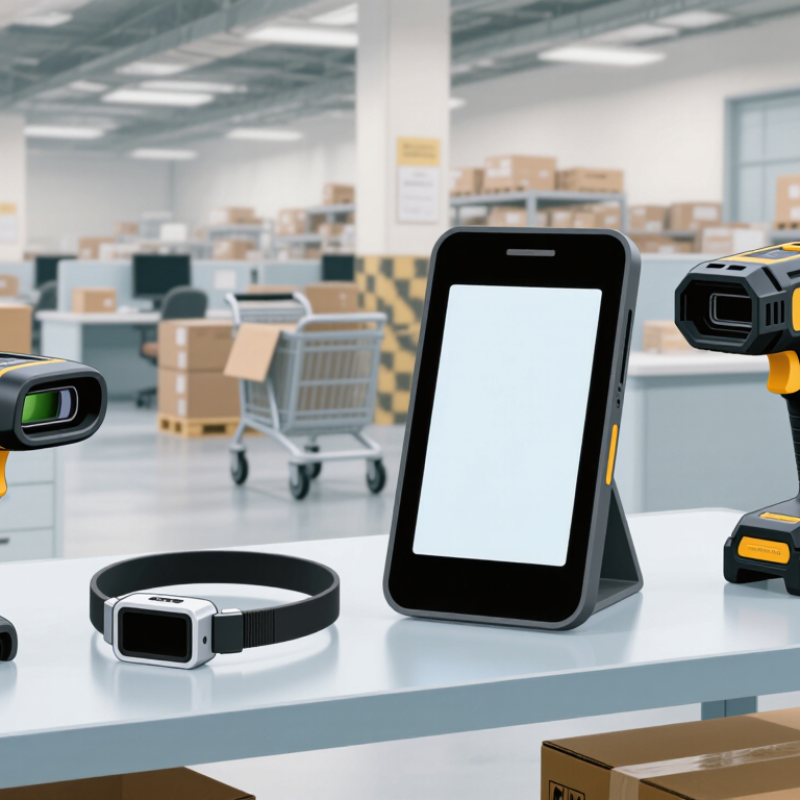
How Wireless Barcode Scanners Are Classified in 2026
What Are the Top Wireless Barcode Scanner Types in 2026?
How Wireless Barcode Scanners Are Classified in 2026
In 2026, wireless scanners are best classified by how they read codes, connect, and fit into a workspace. Handheld models suit checkout counters and stock aisles. Wearable ring scanners keep both hands free while picking small cartons. Presentation scanners sit on counters and read items passed across their field. Some fixed-position units also transmit data wirelessly.
The reading engine is another useful distinction. Linear imagers read many one-dimensional codes, while area imagers capture two-dimensional codes on labels or screens. Laser scanners are generally designed for linear codes, so check supported code types before choosing. Connectivity matters too. Bluetooth models commonly pair with nearby tablets or terminals, while dedicated radio systems may suit a defined work area. Check range, battery life, charging method, and offline behavior. A fast scanner can still slow a shift if its cradle is hard to reach. No category is perfect.
Tips: Test scanners with your actual labels, screen brightness, and working distance. Try a full shift, not just a quick demo. Small tests can reveal awkward grips, missed reads, or battery limits. A feature sheet may not.
Handheld, Ring, and Wearable Wireless Scanner Types
Handheld, ring, and wearable wireless scanners suit different work patterns. Handheld models are versatile for receiving, cycle counts, and scanning bulky cartons. Their trigger-based design is familiar, but workers must keep one hand occupied. MHI’s 2024 Annual Industry Report found that 55% of respondents planned to increase investment in supply chain innovation. This signals growing interest in technology, not a specific preference for scanner types.
Ring scanners keep both hands free for picking small items from bins or moving cases along a conveyor. Wearable systems pair a scanner with a wrist display or voice interface, helping workers follow digital instructions without repeatedly reaching for a handheld device. They can improve task flow, yet fit matters: a loose ring or awkward wrist unit can become distracting during a long shift. No type wins every aisle. Pilot devices in actual work zones before choosing.
Tips: Match the scanner to the task, glove use, and scan volume. Test connection reliability around shelving and cold-room doors. Track misreads and task time during the pilot, then ask workers what feels awkward. That feedback is easy to overlook.
What Are the Top Wireless Barcode Scanner Types in 2026? — Handheld, Ring, and Wearable Wireless Scanner Types
| Scanner Type | How It Is Worn or Used | Typical Scanning Method | Best-Suited Tasks | Key Advantages | Considerations |
| Wireless Handheld | Held in one hand; commonly communicates with a host device through Bluetooth or a dedicated wireless connection. | Trigger-activated or presentation scanning, depending on the model. | Retail checkout, inventory counts, receiving, shipping, and general-purpose data capture. | Versatile, easy to move between work areas, and available in 1D and 2D configurations. | Occupies one hand while in use; wireless range, battery life, and drop protection vary by model. |
| Ring Scanner | Worn on a finger or hand, often paired with a small wrist-mounted or body-worn computer. | A finger-operated trigger lets the worker scan while holding or handling items. | Order picking, sorting, packing, and repetitive scanning in warehouses and distribution centers. | Keeps a handheld scanner out of the worker’s palm and can support hands-free item handling. | Fit, comfort, and trigger placement matter; a compatible host device may be needed for data display or entry. |
| Wearable Scanner | Mounted on the hand, wrist, arm, or another wearable platform; typically paired with a mobile computer. | May use a finger trigger, a scanner button, or another model-specific activation method. | Hands-busy workflows such as picking, replenishment, assembly, and parcel handling. | Can reduce the need to pick up and put down a separate handheld scanner during repeated scans. | Requires suitable fit and workflow training; the complete setup may include separate computing and communication equipment. |
Typical characteristics are shown for comparison. Wireless technology, supported barcode types, reading distance, battery performance, durability, and compatibility depend on the specific scanner and host device.
Presentation and Fixed-Mount Wireless Scanner Types
Presentation and fixed-mount wireless scanners suit workstations where items pass through a predictable area. Presentation models sit on a counter or stand, leaving both hands free. A cashier can move a package across the scan window without squeezing a trigger each time. They work well for steady checkout lines, reception desks, and small parts counters.
Look for a wide reading area and reliable motion detection. These features help when labels are curved, glossy, or slightly worn. Wireless communication can reduce cable clutter, but range still matters. Test the scanner where it will actually be used, with shelves and equipment in place. Small detail, big impact.
Fixed-mount models attach to a bench, frame, or conveyor station. An operator can present each item to the scanner, or a sensor can trigger capture as items pass. They are useful for repeatable workflows, such as tracking bins at a packing table. Mounting angle and label distance need careful adjustment; a few centimeters can affect read speed.
Also, “wireless” usually describes data transmission, not necessarily power. Some units still need a power cable. That distinction is easy to miss, and it can change installation plans.
Bluetooth, Wi-Fi, and Proprietary Radio Scanner Connections
What Are the Top Wireless Barcode Scanner Types in 2026?
Bluetooth, Wi-Fi, and proprietary radio connections each suit different scanning environments. Bluetooth scanners pair directly with tablets, phones, or computers. They work well at checkout counters and small workstations. A scan may feel instant, but walls, nearby devices, and pairing settings can affect reliability. Test the scanner at the farthest point where staff will use it.
Wi-Fi scanners connect through a local wireless network and can send data to systems across a larger facility. They can suit busy stockrooms where workers move between aisles. Performance depends on network coverage and configuration, not just the scanner. Proprietary radio models use a dedicated receiver or base station. They can provide a predictable link for a fixed workflow, though receiver range and compatibility deserve careful checks. No connection type is best everywhere.
Tips:
Walk the actual route with a loaded scanner. Scan labels from low shelves and distant corners, then check for missed or delayed entries. Battery life matters, too. One overlooked dead zone can disrupt a shift. And real-world testing is easy to postpone.
Laser and Imager Scanners for 1D and 2D Barcodes
Laser and imager scanners remain the main wireless options for reading 1D barcodes in 2026. A laser scanner projects a narrow beam across the bars and reads the reflected pattern. It can be a practical choice for printed labels on boxes, shelves, or forms. Its limitation is clear: standard laser models generally cannot read 2D codes, such as QR codes.
Imagers use a camera sensor instead of a scanning beam. A linear imager reads 1D codes, while an area imager can read both 1D and 2D formats. That makes area imagers useful when a warehouse handles printed labels and codes displayed on phone screens. They can also capture a barcode at different angles, though glare, motion, or poor print quality can still cause failed reads. Not magic.
Wireless performance matters just as much as the scan engine. Check how the scanner reconnects after leaving its charging cradle, and test its range around shelving, cold rooms, or busy checkout counters. Battery life and grip comfort affect long shifts. A small code on glossy packaging may behave differently from one on a matte carton. Test both. Selection often involves trade-offs: a simpler laser may suit a 1D-only workflow, while an area imager offers broader code support but may cost more. A rushed trial can miss the awkward cases.
Wireless Barcode Scanner Types: 1D and 2D Support
Laser and linear imager scanners typically read 1D barcodes; area imagers typically read both 1D and 2D barcodes. Values show typical support (1 = supported, 0 = not typically supported), not scan speed or range. Check individual device specifications, as capabilities vary.